Guide
4 min read
Understanding Lead Time
Measure the total time from when a task is created until it is completed, capturing the full lifecycle from idea to delivery.
1
What Is Lead Time?
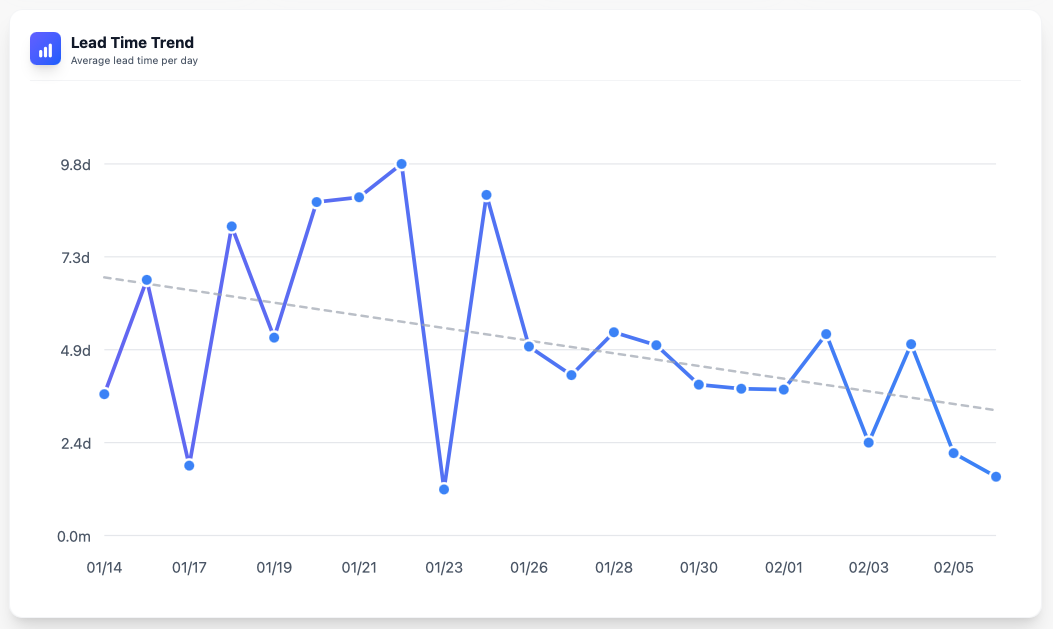
Lead time measures the total duration from when a task is created until it is completed. Unlike cycle time, lead time includes the time a task spends waiting in the backlog before work begins.
Lead time answers the question: "How long does it take from the moment we identify a need until it's delivered?"
2
Navigate to Lead Time
From the metrics dashboard, click Lead Time to see the detailed view. You can also navigate directly from the board by going to Metrics → Lead Time.

3
Lead Time vs. Cycle Time
Understanding the difference is key:
- Lead Time = Wait time in backlog + Cycle time + Review time
- Cycle Time = Only the active working time
4
Reducing Lead Time
To improve lead time:
- Prioritize your backlog regularly so important tasks don't sit idle
- Keep the Ready column small — only add tasks that can start soon
- Speed up reviews to reduce time in the Review column
- Monitor the gap between lead time and cycle time to identify where delays occur
You're all set!
You've completed all the steps in this guide.