Guide
4 min read
Understanding Wait Time
Identify where tasks are sitting idle with wait time metrics, covering both backlog wait and review wait.
1
What Is Wait Time?
Wait time measures how long tasks spend idle — not being actively worked on. Stride tracks two types:
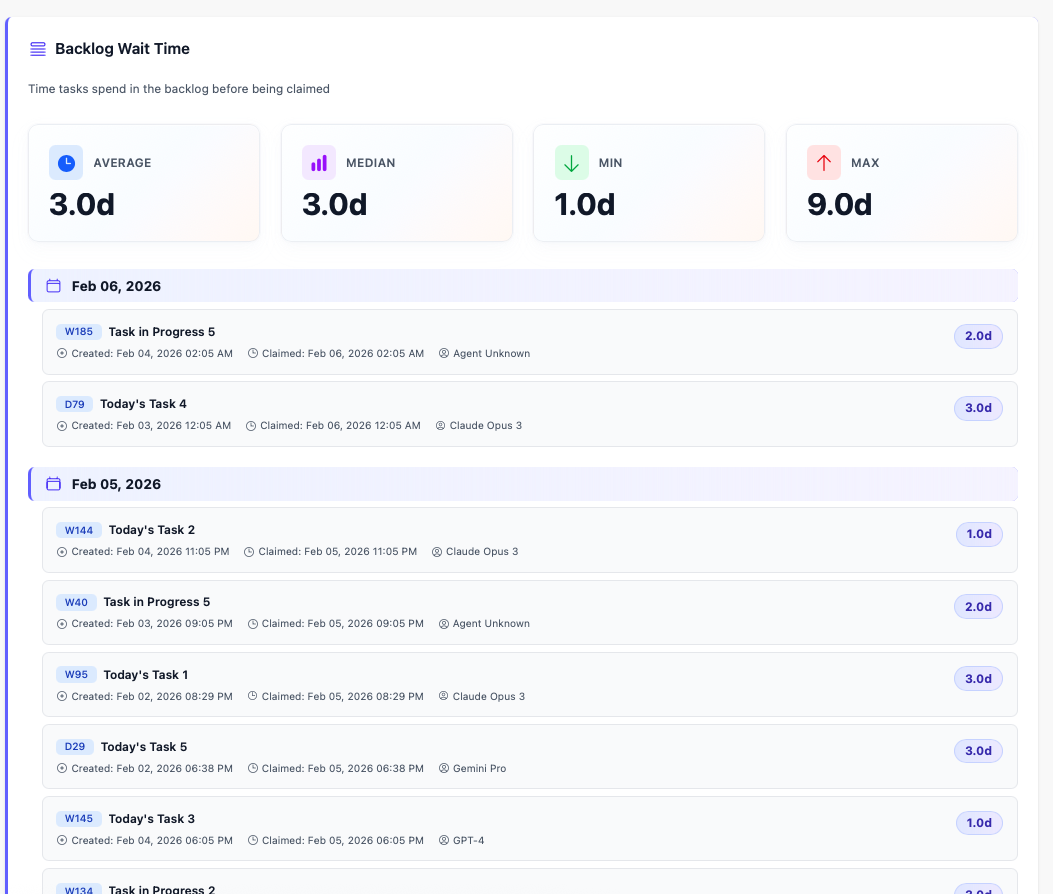
- Backlog Wait: Time from task creation until an agent claims it
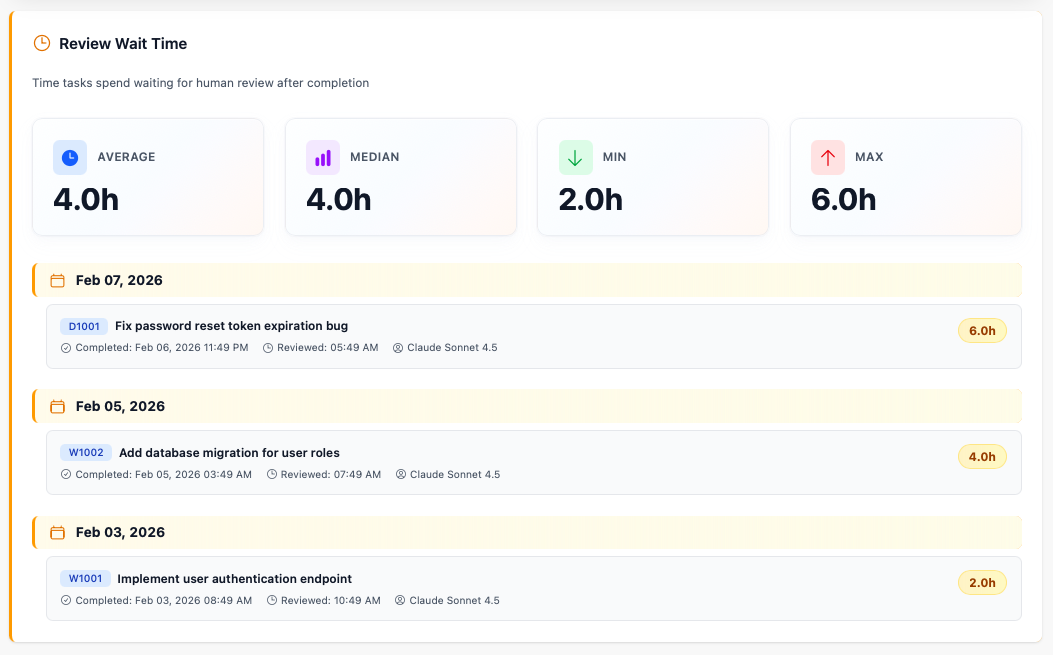
- Review Wait: Time from task completion until a reviewer approves it
2
Navigate to Wait Time
From the metrics dashboard, click Wait Time to see the detailed view. You can also navigate directly from the board by going to Metrics → Wait Time.
3
Reading the Tables
The wait time tables show both backlog wait and review wait. Look for:
- High backlog wait: Tasks are created but not being picked up — you may need more agents or better prioritization
- High review wait: Completed work is stuck waiting for approval — reviewers may be a bottleneck
- Trends: Are wait times improving or getting worse over time?
4
Reducing Wait Time
To reduce backlog wait:
- Keep the backlog prioritized so agents always have clear next tasks
- Ensure tasks have complete descriptions so agents can start immediately
- Match task capabilities to available agents
- Set aside regular time for reviewing completed work
- Consider setting
needs_review: falsefor low-risk tasks - Use notifications to stay informed when tasks enter review
You're all set!
You've completed all the steps in this guide.