Provisioning Users With SCIM
For org-admins: let your identity provider add people, keep workspace memberships in step with its groups, and remove access when it deprovisions someone.
What SCIM Does
SCIM lets your identity provider manage your Organization's people for you:
- It adds people, who must have an address on one of your verified domains. See Setting Up Single Sign-On.
- Each of your workspaces is a group in your provider. Adding someone to the group adds them to the workspace, and removing them removes them from the workspace and its boards.
- When your provider deprovisions someone, they lose their place in the Organization at once.
Creating, renaming and archiving workspaces stays in the Organization console. In the console, click SCIM provisioning to set it up. Only org-admins can open this page.
The SCIM Base URL
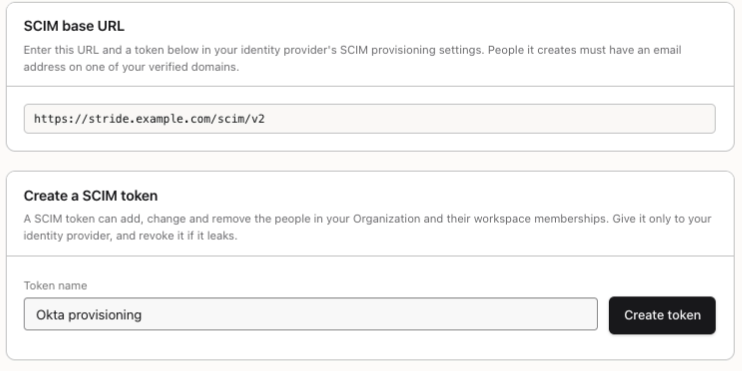
SCIM base URL shows the address to enter in your identity provider's SCIM settings, together with a token from the next step.
Creating a Token
Under Create a SCIM token, enter a Token name, such as the name of your identity provider, and click Create token.
Your new SCIM token appears once. Click Copy and paste it into your identity provider straight away: Stride keeps only a fingerprint of it, so it can't be shown again. A SCIM token can add, change and remove your people, so give it only to your identity provider.
Managing Tokens
SCIM tokens lists every token, who created it, when it was last used, and whether it is Active or Revoked.
Revoke stops a token at once, and it can't be restored. To rotate a token, create the new one, give it to your identity provider, then revoke the old one.
Org-Admins and Deprovisioning
Your identity provider can't deprovision your Organization's last enabled org-admin while it has other members. Stride refuses, and the person stays until Stride staff appoint another org-admin.
You're all set!
You've completed all the steps in this guide.